Search for and Filter Timesheets (iOS)
Objective
To use the search and filter features to locate timesheets on an iOS mobile device.
Things to Consider
- Required User Permissions:
- 'Read Only' level permissions and higher on the project's Timesheets tool.
- Additional Information:
- The search query's scope includes the following fields:
- Name
- Location
- Cost Code
- The search query's scope includes the following fields:
Prerequisites
Steps
Search for a Timesheet
- Navigate to the Timesheets tool on an iOS mobile device.
- Tap into the Search bar.
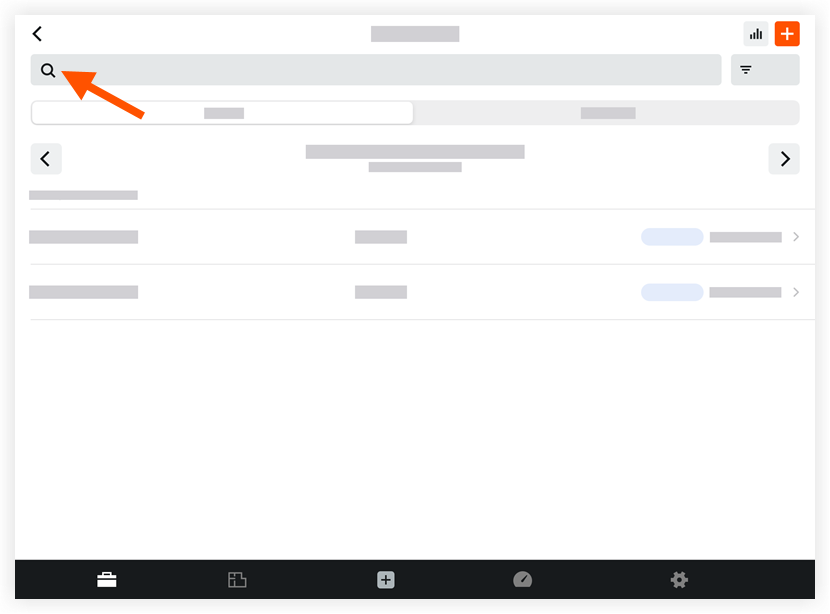
- Type a keyword or phrase.
Filter Timesheets
- Navigate to the Timesheets tool on an iOS mobile device.
- Tap Filter.
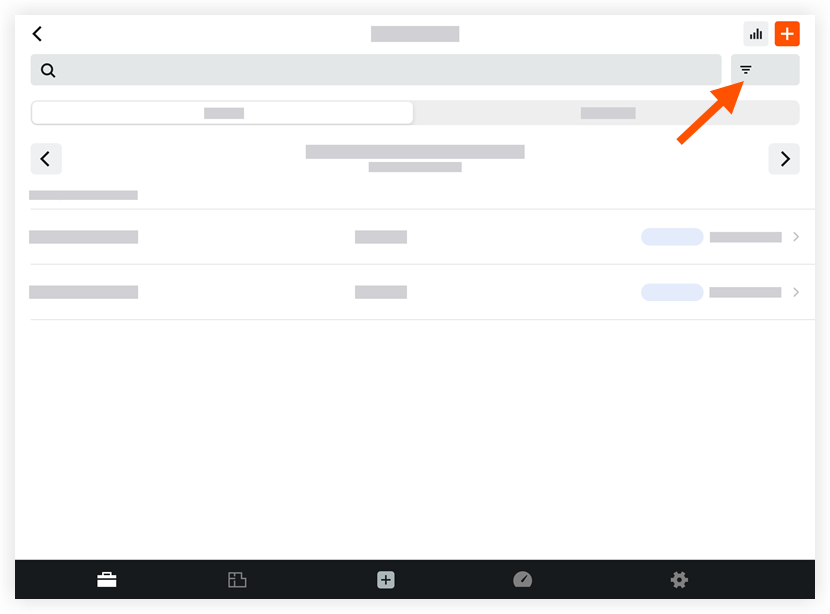
- Tap one or more of the following filter options:
- Signature Status
- Creator
- Employee
- Crews
- Sub Job
- Cost Code
- Location
- Time Type
- Billable
- Classification
- Tap Apply.
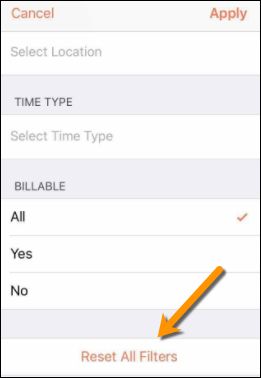
Note: To remove filters at any time, tap Reset All Filters in the filter menu.
If you would like to learn more about Procore's timesheet management software and how it can help your business, please visit our construction timesheet software product page  .
.
.