Accept or Reject a Project for Export to ERP
Objective
To accept or reject a project that has been sent to the ERP Integrations tool for acceptance by an accounting approver.
Background
After sending a project to your ERP Integrations tool, a designated accounting approver has the option to accept or reject it for export to your ERP system.
Things to Consider
- Required User Permissions:
- Requirements, prerequisites and limitations will vary depending on the ERP system your Procore account is integrated with. See Things to Know about your ERP Integration for details.
Steps
Review Projects in the 'Ready to Export' List
- Navigate to the company's ERP Integrations tool.
Notes:- If the project does not appear in this tab, see Why is my Procore project missing for the ERP Integrations tool?
- Click the Jobs tab.
- Under Filters, click Ready to Export.
- Continue with one of the following:
Accept the Project
- Review the project information in the Jobs tab.
Note: To view the project information in more detail, click the hyperlink in the 'Project Name' field. You must have access permission to the project in order to use this hyperlink.
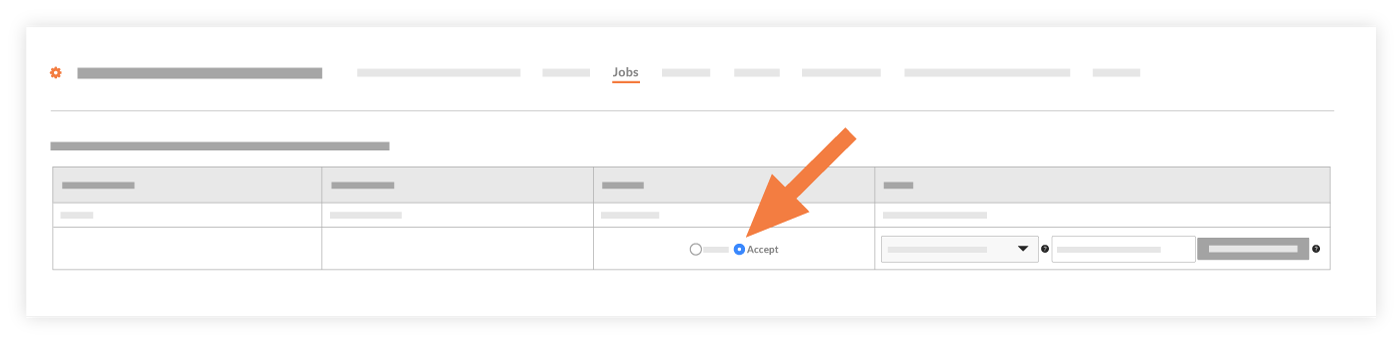
- Choose Accept.
- Enter the ERP Integration Job ID in the box provided.
- Optional field: Enter Subaccount ID if the Subaccount ID feature is enabled in your ERP system.
- Optional field: Enter Template ID if you want to assign a Template ID to the project in your ERP system.
- Click Export to ERP.
Note: If the export process is successful, the system moves the project(s) from the 'Projects in Procore Not Synced to ERP' list to the 'Synced Projects' list. To view this list, click Synced in the 'Filters' menu.- OR
- If the export process fails, an error message will appear. The system also moves the project(s) from the 'Projects in Procore Not Synced to ERP' list to the 'Projects in Procore Failed to Sync to ERP' list. To view this list, click Failed To Sync in the 'Filters' menu.
A user with access to your ERP system can now verify the export.
Reject the Project
- Review the project information in the Jobs tab.
Note: To view the project information in more detail, click the hyperlink in the 'Project Name' field. You must have access permission to the project in order to use this hyperlink. - Choose Reject.
- Enter a brief comment to explain why the project was rejected in the Enter a Comment (Optional) field.
- Click Reject.
The system sends an automated email notification with the subject line 'ERP Project Rejection Notification' to the person who created the commitment and to any users designated as an accounting approver on the project. Procore removes the project from the 'Ready to Export' list and returns it to an editable state in the project's Admin tool, so the user can make the correction and then re-send the project to the ERP Integrations tool for acceptance by an accounting approver.