Enable Public Discovery
In Beta
At this time, this feature is in beta and only accessible to users in the United States.Background
The Public Discovery setting allows you to list a tender package on the Procore Construction Network, making your project searchable to thousands of external subcontractors and vendors. By enabling this feature, you can expand your reach beyond your existing directory to find new qualified leads and increase competitive tension for your project’s scope.
Things to Consider
- Required User Permissions:
-
'Admin' level permissions on the project's Tendering tool.
-
- Additional Information:
- Tenderers must be logged in to download files, allowing you to track activity in the Tendering tool.
-
Note: If an NDA is enabled, files are restricted so that tenderers must sign via Procore and access documents through the Planroom tool. Without an NDA, documents are accessible to any logged-in user.
-
-
Tender Packages will remain public on the Procore Construction Network but will transition to a Tendering Closed status, disabling the option to contact the solicitor or download documents from the project details page.
-
The Tendering Closed status is triggered when a package is manually set to 'Closed', or when the due date passes without the solicitor enabling late tender submissions.
-
- Tenderers must be logged in to download files, allowing you to track activity in the Tendering tool.
Steps
-
Navigate to the project's Tendering tool.
-
Click the Edit
 icon next to the relevant tender package.
 -
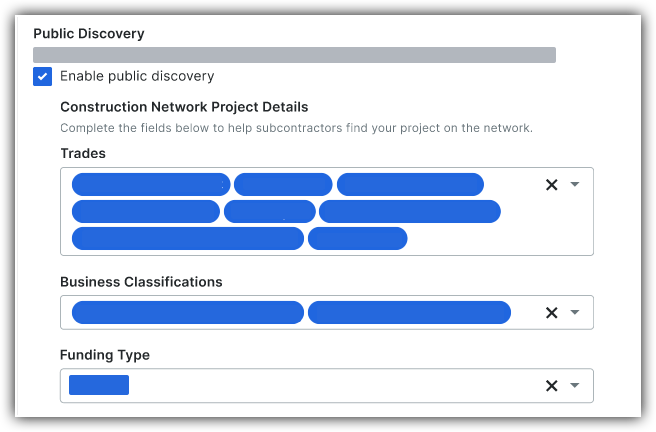
In the Privacy & Visibility Settings section, select the Enable Public Discovery checkbox.
-
Optional: Select Trades, Business Classifications, and Funding Types to appear in those PCN search filters.
-
Optional: Check the Location Visibility for NDA Projects box.

-
Click Save Changes.
-
After saving, a public page link will appear on the Overview tab to preview the project as a tenderer.