Export a Change Event
Objective
To export a change event to the Portable Document File (PDF) format.
Background
If you want to export a change event on your project to the PDF file format, use the steps below.
Example
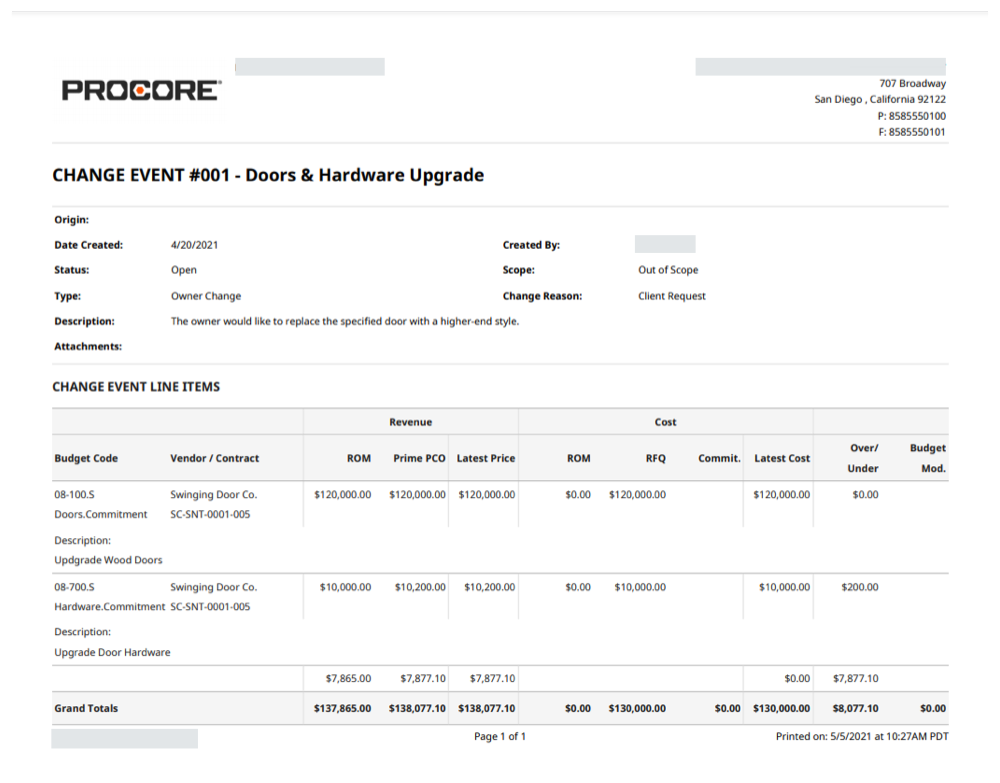
The example below shows you what an export file of a change event looks like.
Things to Consider
- Required User Permissions:
- 'Read Only' level permissions or higher on the project's Change Events tool.
- Additional Information:
- The Change Events tool must be enabled on the project. See Can I enable the Change Events tool on my existing project?
- In the 'Change Event Line Items' section of the PDF export file, Procore lists the budget code. See See What is a budget code in Procore's WBS?
Prerequisites
Steps
- Navigate to the project's Change Events tool.
- Locate the desired change event and click View.
- Click Export > PDF.
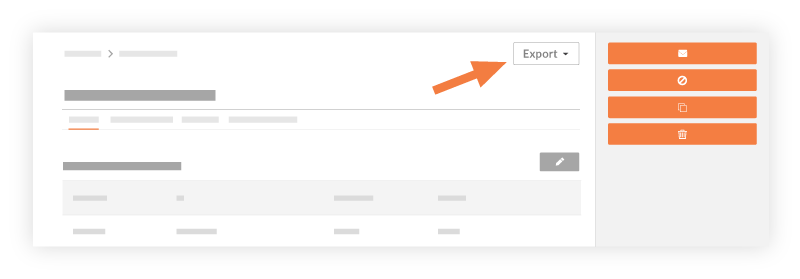
The system converts the information from the selected change event's General tab to the Portable Document Format (PDF) and then opens it in a separate browser window. - Choose from these options:
- Use the controls available in the top-right corner of the new browser window to rotate, download or print the document.
OR - Use the controls to zoom in/out or to fit the document to the page.
- Use the controls available in the top-right corner of the new browser window to rotate, download or print the document.
If you would like to learn more about Procore's change events management software and how it can help your business, please visit our construction change order product page  .
.
.