Allow Collaborators to Submit Field-Initiated Change Orders
Objective
To provide an external collaborator with access permission to submit a potential change order for a commitment.
Background
A collaborator is a person or company who has agreed to perform work for you or your company, such as an external contractor or vendor. If you want your collaborators to have the ability to submit potential change orders for their commitments in Procore, you can complete the steps below.
Things to Consider
- Required User Permissions:
- 'Admin' level permissions on the project's Commitments tool.
- Additional Information:
- To create new budget codes on a change order that were not previously in the contract's scope, the user account must be granted edit access to the contract's Schedule of Values (SOV) with the following granular permissions: 'Update Work Order Contract' and 'Update Purchase Order Contract'.
PROCORE SUPPORT: INTERNAL NOTES
Although it is also possible for users with permissions on the Company Admin, Project Level Commitments, and Project Level Directory tool to complete some or all of the steps below, this tutorial will NOT be updated to reflect every possible permission combination in Procore. It is intentionally written to advise customers of the recommended best practice for allowing collaborators to submit field-initiated change orders.
Steps
Set the 'Contract Configuration' Settings on the Commitments Tool
- Navigate to the project's Commitments tool.
- Click Configure Settings.
- Place a mark in these checkboxes:
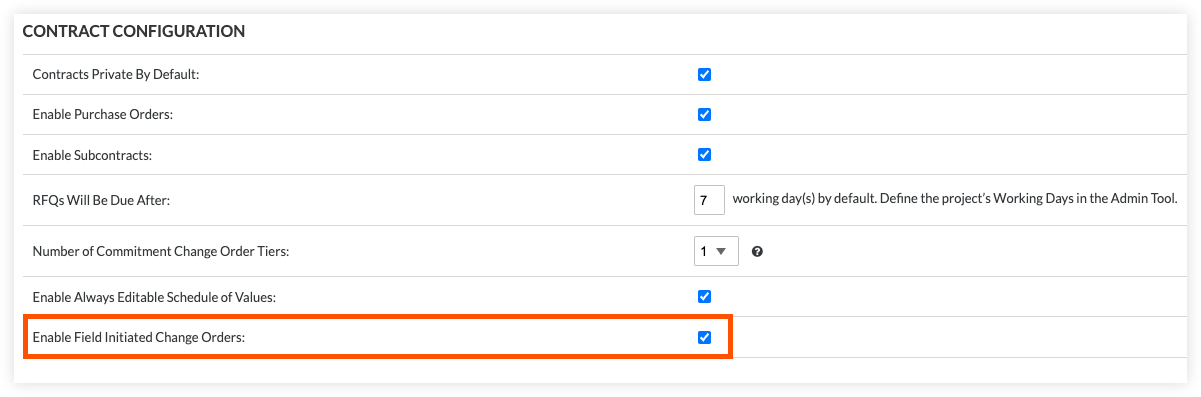
- Enable Field-Initiated Change Orders
This setting allows users to create change orders from a commitment without granting them access to the Change Events tool. - Allow Standard Level Users to Create CCOs
This setting provides users who have been assigned 'Standard' level permissions on the tool with the added privilege of creating potential change orders when the number of Commitment Change Order tiers is greater than one.
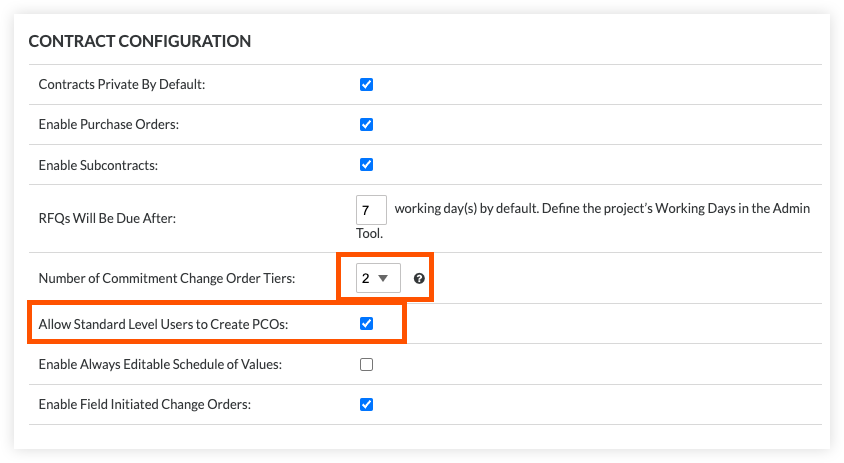
NOTE: The setting to 'Allow Standard Level Users to Create PCOs' is only available for two and three-tier change orders.
- Enable Field-Initiated Change Orders
- Add a user account for the collaborator to the project's Directory tool.
First, create a Procore user account for the collaborator(s) that will be submitting field-initiated change orders. You must add this user to the Project Directory. See Add a User Account to the Project Directory or Bulk Add Users and Companies to a Project Directory.- If you already created a project permission template for your collaborators, you can assign it to the collaborator when adding the user account.
- If you do NOT want to create a project permission template, you can edit the user's record and choose 'Do Not Assign a Template' from the 'Project Permissions Templates' section and then manually set the permissions detailed above.

- Invite the Collaborator to the Procore project.
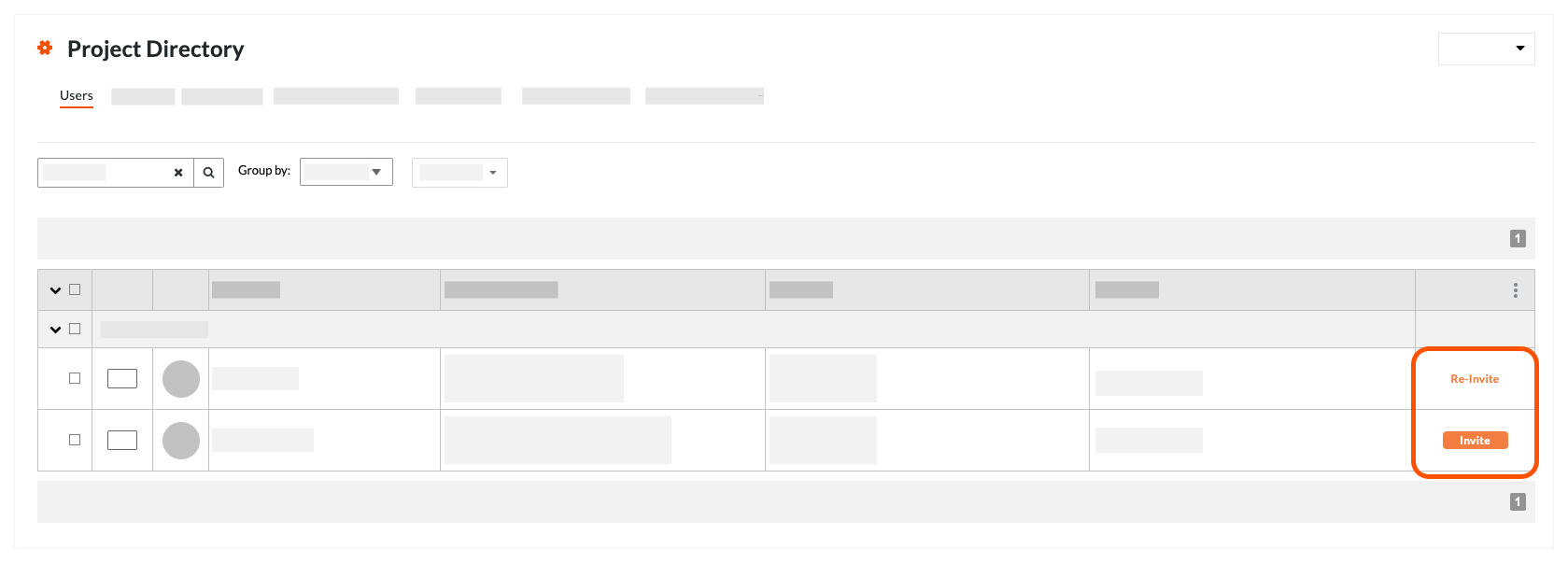
In the Project Directory tool, you can then invite (or reinvite) the collaborator(s) to join the project. See Invite or Reinvite a User to Join a Procore Project.
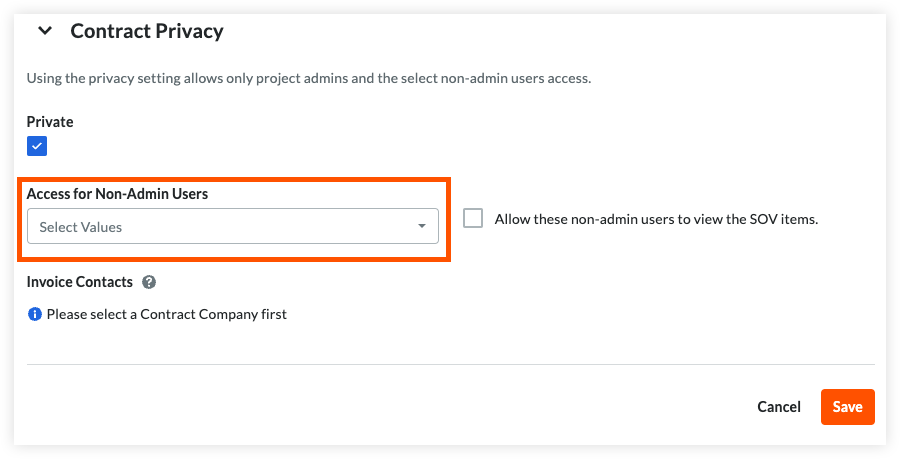
- Add the user to the 'Private' list on the appropriate commitment contract.
Add the collaborator's name to the 'Select a Person' list in the 'Private' area of the contract as described in Create a Subcontract. This ensures that the collaborator only has permission to view their own contract.
After the collaborator joins the project and the contract is 'Approved', your collaborator can create change orders against the contract and Procore will use the data entered to automatically create a change event.
 .
.