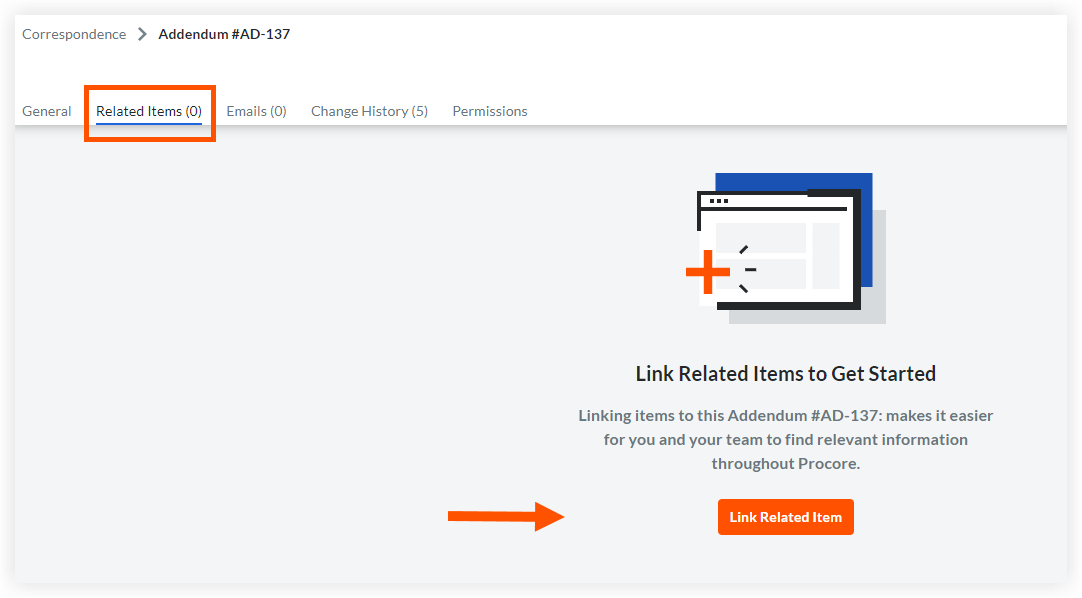
Add a Related Item to a Correspondence Item
Objective
To add a related item to a correspondence item.
Background
Things to Consider
- Required User Permissions:
- To add, edit, or delete a related item on any correspondence item that you have access to: 'Admin' level permissions on the correspondence type.
- To add, edit, or delete a related item on a correspondence item that you have created: 'Standard' level permissions or higher on the correspondence type.
- To view the title of a related item: Access to the correspondence item. See View a Correspondence Item.
- Additional Information:
- Related items cannot be added to archived correspondence items.
Steps
- Navigate to the project's Correspondence tool.
- Click the List tab.
- Click the Number for the correspondence item that you want to add one or more related items to.
- Click the Related Items tab.
- Click Link Related Item.
- Search for the item you want to link and click on it.
- Optional: Add a note explaining why the item is linked.
- Click Link.
- Optional: Click the trashcan icon to delete a related item.