Edit a Drawing Set's Name or Date
Objective
To edit a drawing set's name or date.
Things to Consider
- Required User Permissions:
- 'Admin' permissions on the Drawings tool.
Steps
Edit Individually from the Drawing Sets Page
- Navigate to your project's Drawings tool.
- Click Drawing Sets.
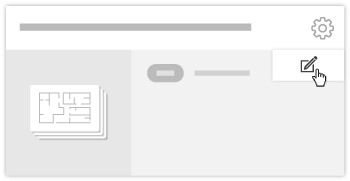
- Click the gear
 icon on the drawing set you want to edit.
 - Click Edit.
- Edit the drawing set's name and date by clicking in the appropriate fields.
- Click Update.
Edit in a List from the Configure Settings Page
- Click Settings
 icon.
icon. - On the 'Drawing Log Settings' page, view the Edit Drawing Sets section.
- Click on the name or the date of a set to make changes.
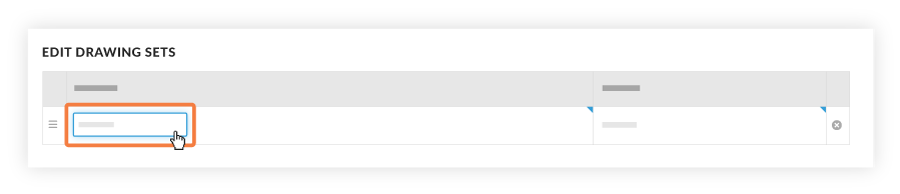
Note: You can reorder sets by dragging them into a new order, or delete sets by clicking the X next to the set. For more information on deleting drawing sets, see Delete a Drawing Set.