Search and Filter for Inspections
Objective
To use the search bar and filter settings to find one or many inspections.
Things to Consider
- Required User Permissions:
- 'Read Only' level permissions or higher on the Project level Inspections tool.
- Additional Information:
- Searching:
- The search tool respects any selected filter parameters and will only search for items within the filtered results.
- Preferences are remembered on a per-project basis. If you are working with the Inspections tool on multiple projects, each project will remember your last used search for that project.
- Search criteria is 'sticky'. After conducting a search using the project's Inspections tool, the tool will remember your last used search preference, so that the next time you visit the Inspections tool, the last used search is applied to the log.
- Filtering:
- Preferences are remembered on a per-project basis. If you are working with the Inspections tool on multiple projects, each project will remember your last used filter preference for that project.
- Filter options are 'sticky'. After applying a filter using the project's Inspections tool, the tool will remember your last used preference, so that the next time you visit the Inspections tool, those same preferences are applied to the log.
- Searching:
Steps
Search for Inspections
- Navigate to the Project level Inspections tool.
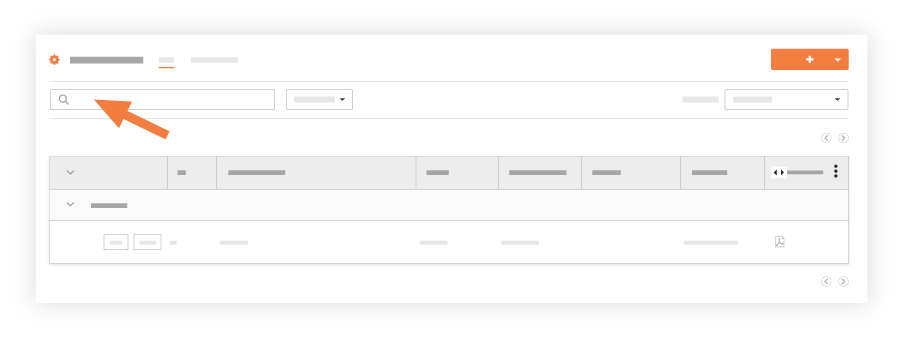
- Enter a word or phrase in the search bar at the top of the page.
Add Filters
- Navigate to the Project level Inspections tool.
- Select one or more filters from the Add Filter drop-down list.
Available filters include:- Closed By
- Date Closed
- Assignees
- Inspection Templates
- Inspection Date
- Due Date
- Location (See How do I filter by multi-tier locations?)
- Equipment (See Add an Equipment Record to the Project Equipment Tool)
- Point of Contact
- Responsible Contractor
- Spec Section
- Status
- Trade
- Type
If you would like to learn more about Procore's inspections management software and how it can help your business, please visit our construction site inspection software product page  .
.
.