Resend an Invitation to Tender in Portfolio Financials
Objective
To resend an invitation to tender for a Tender Room in Portfolio Financials.
Background
If a vendor claims to have not received an invitation to tender for a Tender Room, you can resend the invitation from Procore or forward the original email from your inbox.
Things to Consider
- Required User Permissions:
- 'Limited' access to the project or higher.
Note: Users with 'Limited' access must be on the Tender Room Team for the project.
- 'Limited' access to the project or higher.
Prerequisites
Steps
- Navigate to the relevant Tender Room.
- Click the Manage Tenders tab.
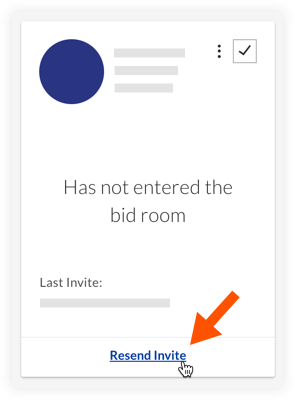
- On the bidder's card, click Resend Invite.
- Click Send Invitations to Tender.