Change the Project Manager for a Project in Portfolio Financials
Objective
To change the Project Manager for a project in Portfolio Financials.
Background
Internal team members can be managed for a Portfolio Financials project in the Team section of the Project Page.
Things to Consider
- Required User Permissions:
- 'Full Access' to the project or higher.
- Additional Information:
- Only one team member at a time can be marked as Project Manager for a project.
Steps
- From the Project Page, scroll to the Team section.
- Click the vertical ellipsis
 icon across from the team member you want to remove from the project.
 - Click Change to Project Manager.
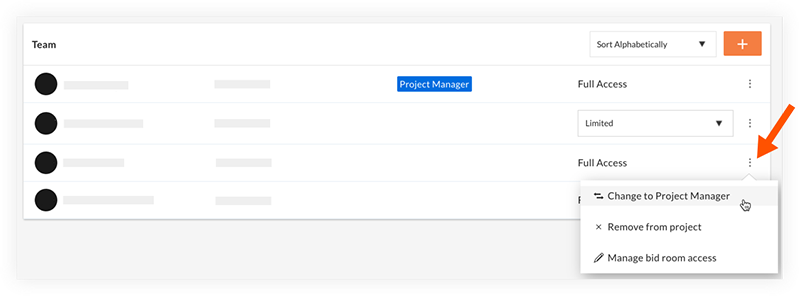
- On the 'Confirm' window, click Confirm.