Submit a Change Order for a Portfolio Financials Project
Note
This article is for Vendors submitting a change order through a Contract Room in Procore's Portfolio Financials application.Objective
To submit a change order in the Contract Room of Portfolio Financials.
Background
After you have been awarded a contract within Procore's Portfolio Financials application, you will be able to add change orders as necessary through the Contract Room.
Things to Consider
- Required User Permissions:
- 'Vendor' access to the relevant Contract Room.
- Additional Information:
- If the 'Cost Breakdown' setting is available for the project, you can choose to break down costs for your change order. See Submit a Broken Down Change Order in the Steps section below.
Note: The 'Cost Breakdown' setting is only available if it is enabled for the Owner Team's account in Procore.
- If the 'Cost Breakdown' setting is available for the project, you can choose to break down costs for your change order. See Submit a Broken Down Change Order in the Steps section below.
Steps
- After logging in to Portfolio Finanicals, click the name of the project you want to add a change order for.
Note: This brings you to the Contract Room for the project. - Click the Change Orders tab.
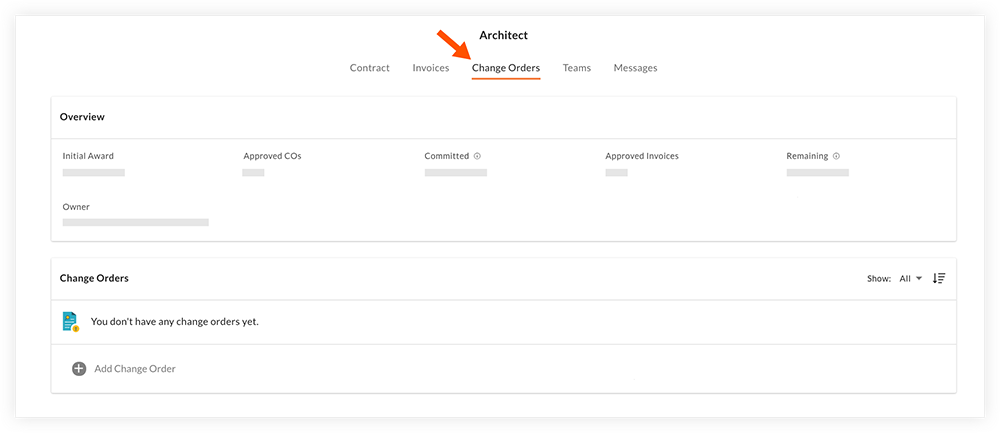
- Click + Add Change Order.

- Fill out the following fields as necessary:
- Number: The change order is automatically assigned a number.
- Title: Enter a title for the change order.
- Amount: Enter the amount of the change order.
- Date: Enter the date you are submitting the change order.
- Cost Breakdown: If this setting is available for the project, you can click the toggle ON
 to submit a change order with the costs broken down. See Submit a Broken Down Change Order below.
 - Description: Enter a description for the change order.
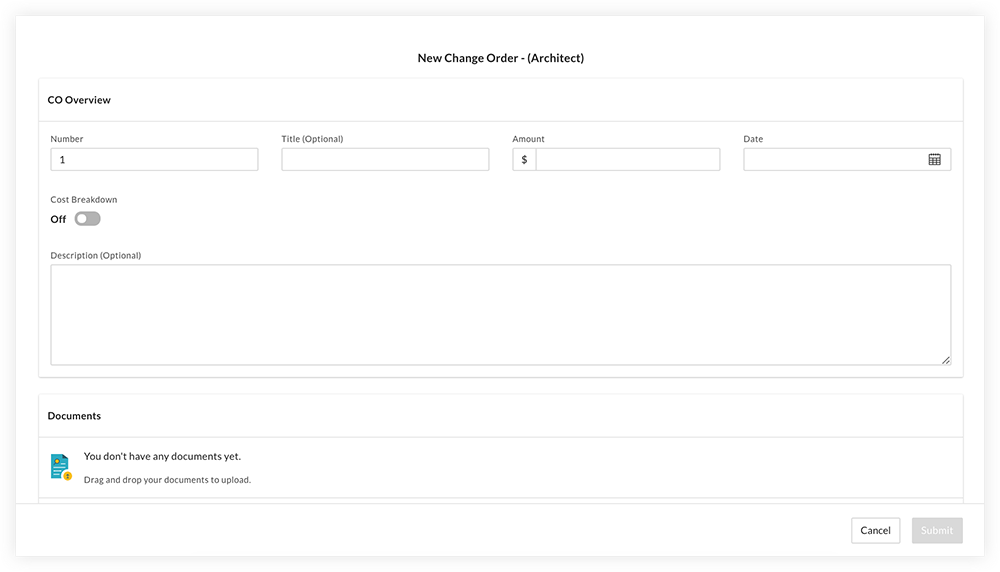
- Optional: Click Add Document to upload any necessary documentation to the Documents section.
- Click Submit.
Note: The Contract Room Team will be notified of your submission by email. After they review the change order, you will be notified if it was approved or rejected.
Optional: Submit a Broken Down Change Order
Important
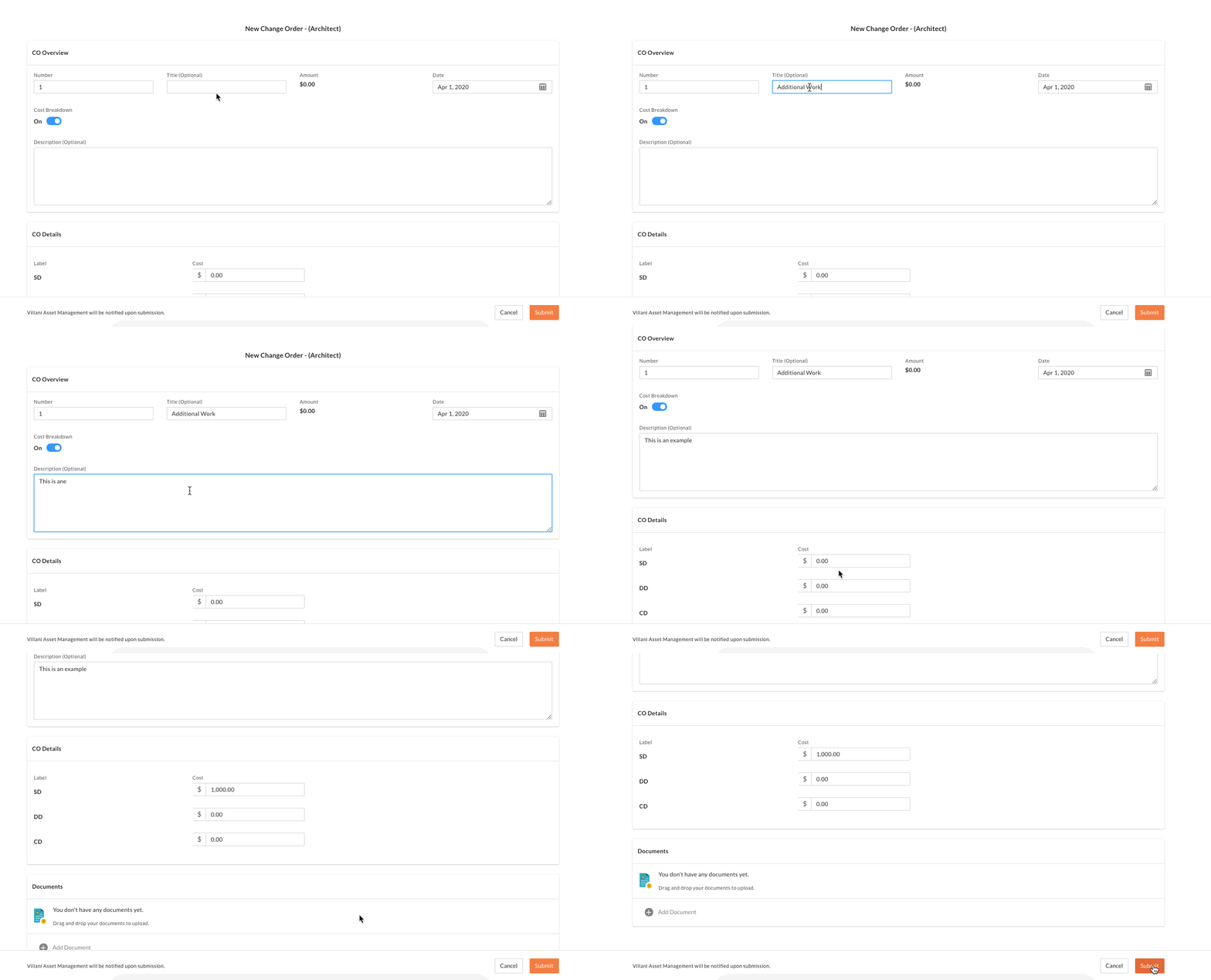
The 'Cost Breakdown' setting is only available if it is enabled for the Owner Team's account in Procore. Reach out to your contact if you have any questions.- Enter all relevant information into the 'CO Overview' section, including a CO number, title, date and description.
- Click the Cost Breakdown toggle to the ON position.
Note: After this setting is enabled, you will no longer be able to enter a lump sum amount for the change order. - In the 'CO Details' section, enter dollar amounts against each of the contract's schedule items.
- Optional: Click Add Document to upload any necessary documentation to the Documents section.
- Click Submit.
Note: To review the broken down costs of a submitted change order, scroll to the Cost Details section.
Demo
 |