Search and Filter the Project Directory
Objective
To search the Project Directory for matching data.
Things to Consider
- Required User Permissions
- The search function respects any selected filter parameters and only searches for items within the filtered results.
- Adding filters is NOT supported on the Contacts, Distribution Groups, Inactive Users, Inactive Contacts, or Inactive Companies tabs.
- The 'Contacts' and 'Inactive Contacts' tabs are populated with contacts created from one or more projects on supported tools. See What is a 'contact' in Procore and which project tools support the concept?If your company hasn't created any contacts, the 'Contacts' and 'Inactive Contacts' tabs will be empty.
- If your company has enabled the ERP Integrations tool:
- You will have the added ability to filter the Companies view by the cost codes for your integrated ERP system.
Steps
- Legacy Project Directory
- Beta Project Directory
Search the Project Directory
- Navigate to the Project level Directory tool.
- Click the desired tab.
- Enter a keyword into the search box, then press ENTER.
Legacy Project Directory Experience
Add Filters to the Project Directory
- Navigate to the Project level Directory tool.
- Click the Users or Companies tab.
- Choose from these options in the Users tab. Then, select one of these options from the Add Filter drop-down list:
- Permission Template (Default) This filters the list of users by the default permission template that is assigned to the end user. See Manage Project Permissions Templates.
Note: Only users with 'Admin' level permissions on the Project level Directory can apply this filter. - Trades. This filters the list of users by the Trade associated with the user's company record. See Add a Custom Trade.
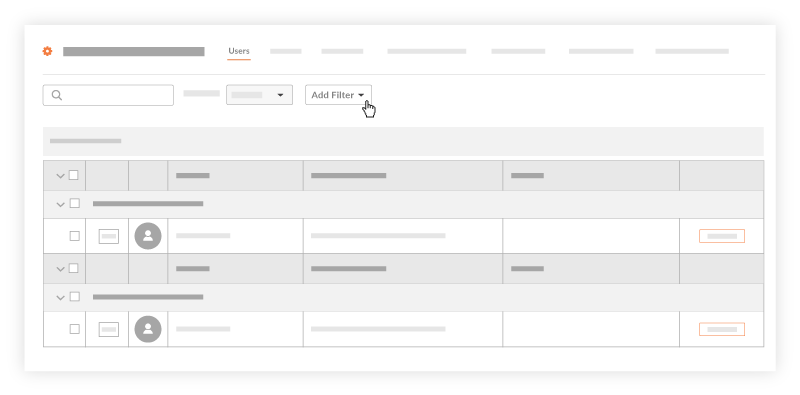
- Permission Template (Default) This filters the list of users by the default permission template that is assigned to the end user. See Manage Project Permissions Templates.
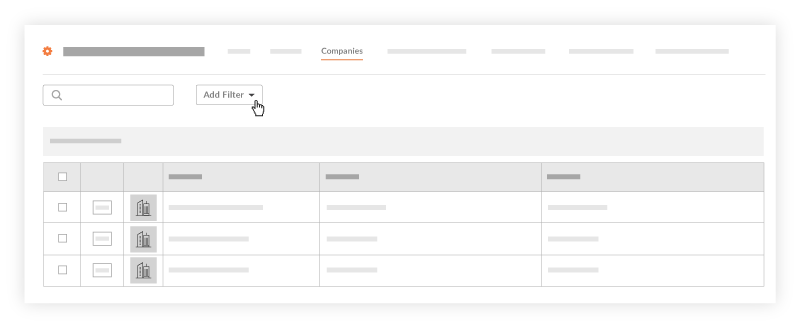
- Choose from these options in the Companies tab. Then, select one of these options from the Add Filter drop-down list:
- [Project Name] Cost Codes. This filters results by the cost codes in the 'Cost Code' segment of Procore's Work Breakdown Structure.
- If your Procore Administrator has enabled a Procore + ERP Integration, choose [ERP Integration Name] Cost Code. This filters the list by the cost codes that have been configured for your specific integrated ERP system. See Configure Cost Code Preferences for ERP Integrations.
- If your Procore Administrator has set up trades for use with your company's Procore account, choose Trades. See Add a Custom Trade.
Group Users by Company in the Project Directory
- Navigate to the Project level Directory tool.
- Click the Users tab.
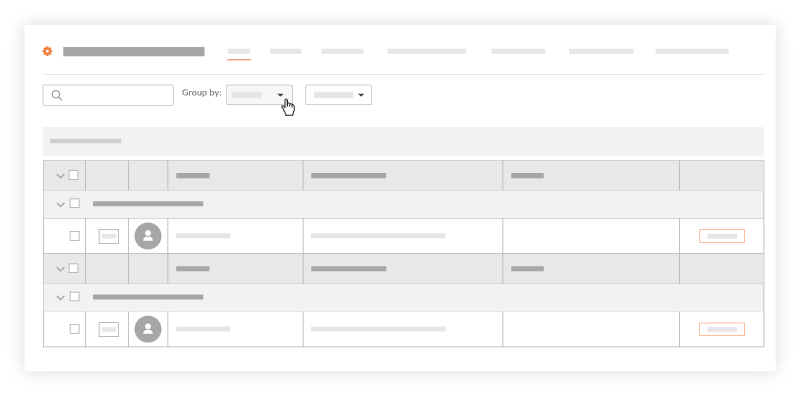
- From the Group By list, choose Company.
Note: The Group By list is only available on the Users tab.
This sorts the users in the list by the company they are associated with.
Beta Project Directory Experience
Search the Project Directory (Beta)
- Navigate to the Project level Directory tool.
- Click the desired tab.
- Enter a keyword into the search box, then press ENTER.
Filter the Project Directory (Beta)
- Navigate to the project's Directory tool.
- Click the Users or Companies tab.
- Click the filters
 icon.
icon. - Select to filter by the following fields:
- Users
- User Status
- Permissions Template (Assigned)
- Trade
- Companies
- Company Status
- Cost Code
- Trade
- Users
- To clear filters, click the 'x' on the individual filter or click Clear all Filters.
Sort the Project Directory (Beta)
- Navigate to the project's Directory tool.
- Click the desired tab.
- Click the column header to sort by that column.
- Click again to switch between ascending or descending order:
 Ascending
 Descending
- You can sort by the following columns:
- Users
- Name
- Job Title
- Company
- Permissions Template
- Companies and Distribution Groups
- Name
- Users
- Click again to switch between ascending or descending order: