Export an Email as a PDF
Objective
To save an email message as a PDF using the project's Emails tool.
Background
If your organization wishes to convert your project's emails in the Emails tool to the PDF format, you may use the steps below. This action converts the entire thread for any message you choose.
Things to Consider
- Required User Permissions:
- 'Read Only' level permissions or higher on the project's Emails tool.
Note: If you are a user with 'Read Only' or 'Standard' level permission on the Emails tool, you will not be able to export messages marked 'Private' (see Mark an Email as Private).
- 'Read Only' level permissions or higher on the project's Emails tool.
- Prerequisites:
- The desired email must exist in the Emails tool. See Create an Email or Send an Inbound Email to the Emails Tool.
Steps
- Navigate to the project's Emails tool.
This reveals the Emails - Inbox page. - Highlight the desired message in the left pane.
- Click Export > PDF.
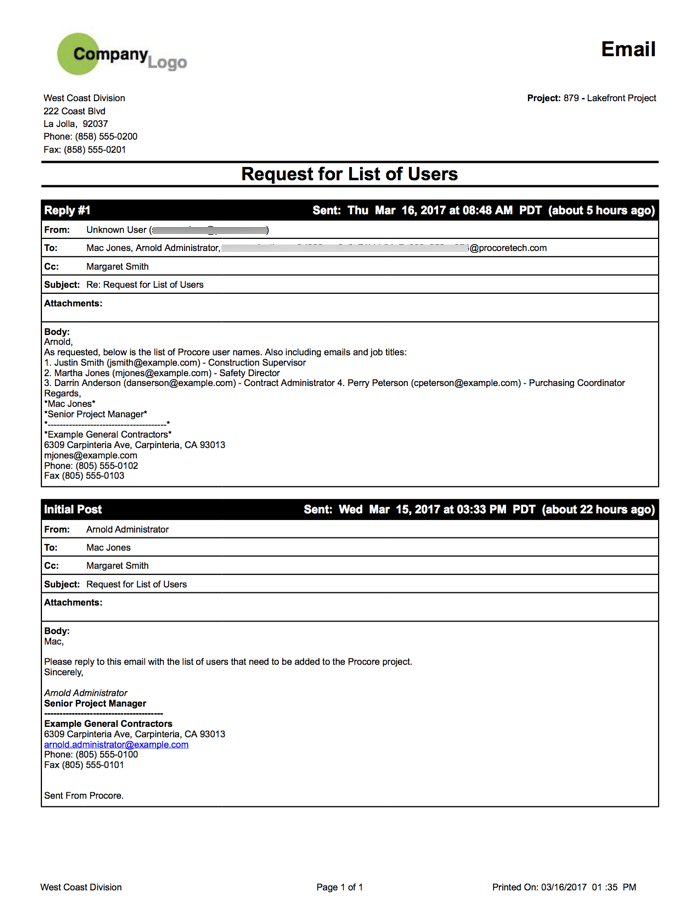
The system converts the email to the PDF file format and opens it in a separate browser tab. The PDF includes both the initial post (and all replies, if available) as shown below.
See Also
If you would like to learn more about Procore's email management software and how it can help your business, please visit our construction email management software product page  .
.
.