

What is the Tendering and Estimating Integration? (Beta)
Overview
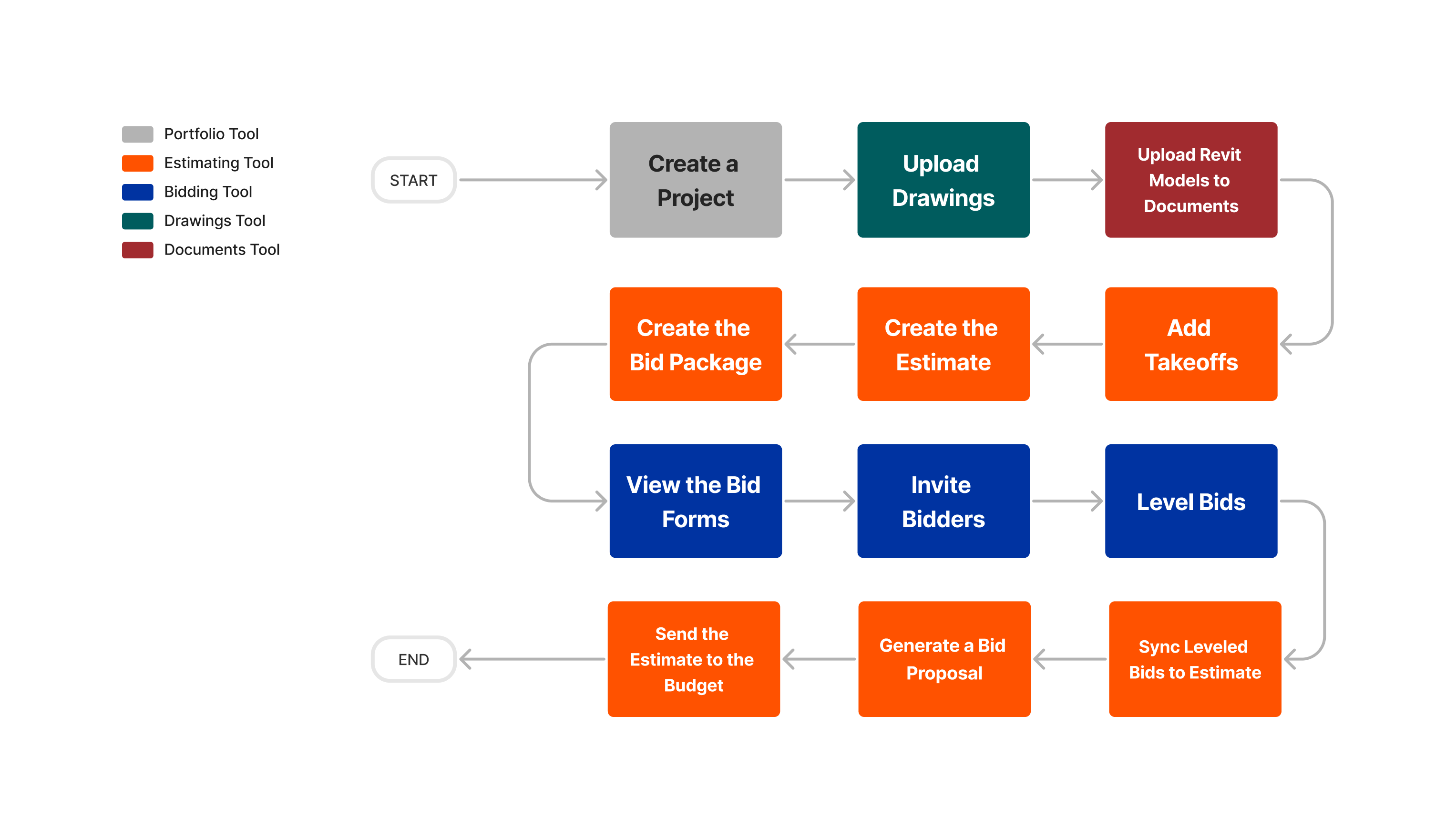
The Tendering and Estimating Integration beta allows you to create tender packages directly from an estimate. By connecting the two experiences, users no longer need to recreate estimates in the Tendering tool. This allows you to send out accurate tender invitations more quickly, saving time in a competitive market. After a tender is awarded, you can update your estimate to reflect the awarded contract with a single click.
Candidates for the beta use both the Estimating and Enhanced Tendering tools.
Key Features
- Create tender packages directly from an Estimate, without re-entering information.
- Import price amounts from awarded tenders back into your estimate.
- Tool tips show both the initial estimate and the awarded tender amounts.

Beta Considerations
- You can create multiple tender packages from the project's estimating tool.
- Each estimate creates one tender package.
- A separate tender form is created for each group within an estimate.
- Cost codes are not currently pulled into a tender form.
- You can edit a tender form to add sections, however this may mean the data would be mismatched and Unit/Qty items would be rolled up into a total amount when importing back into Estimating.
- Line items in a tender form default to 'Amount' for the 'Response Field Type'.
- If you are using a unit based quantity estimate in the estimating tool, you can can edit line items on the tender form to unit quantity. When you import tenders back to your estimate, they will sync correctly because the units match in the estimating tool.
- If you are NOT using unit based quantity but update the tender forms to unit based quantity, you must either have the tenderer resubmit with 'Amounts' or alter the tender in the Tendering tool before importing. Otherwise, the units will not match and you will see an error.
- Tenders must be awarded to be imported into the Estimating tool.
Beta Expectations
- Use the Tendering and Estimating Integration for three (3) months.
- Create tender packages from the Estimating tool.
- Award tenders and update your estimate with awarded tenders.
- Provide feedback once a month over the course of the beta in feedback sessions or through the app.
What Comes After the Beta?
The feature will remain available for you to continue to use. Enhancements will be made and released to beta participants as they become available. As you continue to use the Tendering and Estimating integration, please continue to provide feedback via in app feedback or through feedback sessions.