View Read Receipts for Messages Sent in Resource Planning
Background
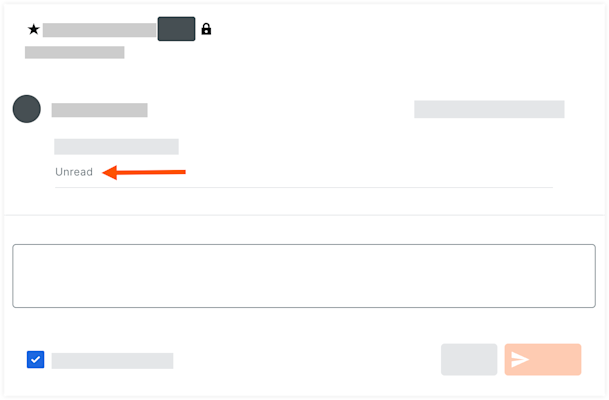
You can see if a message you sent to an individual in Resource Planning was opened by the recipient either on the Procore web app, or LaborChart mobile app.
Things to Consider
-
Read receipts are shown for the following messages:
-
Messages that were sent to an individual user, not a group.
-
Messages that were read in-app, either on the Procore web app or LaborChart mobile app.
-
-
Read receipts are not shown when a message is viewed via email or SMS.
Steps
-
Navigate to the company's Resource Planning tool.
-
Click the Communications (Beta) tab.
-
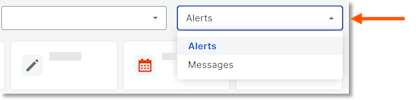
Click Messages from the drop-down menu.
-
Click Sent.
-
In the 'Date/Time Sent' column, select the envelope
 icon for the message to view the details.
-
The words 'Read' or 'Unread' is displayed under the body of the message.